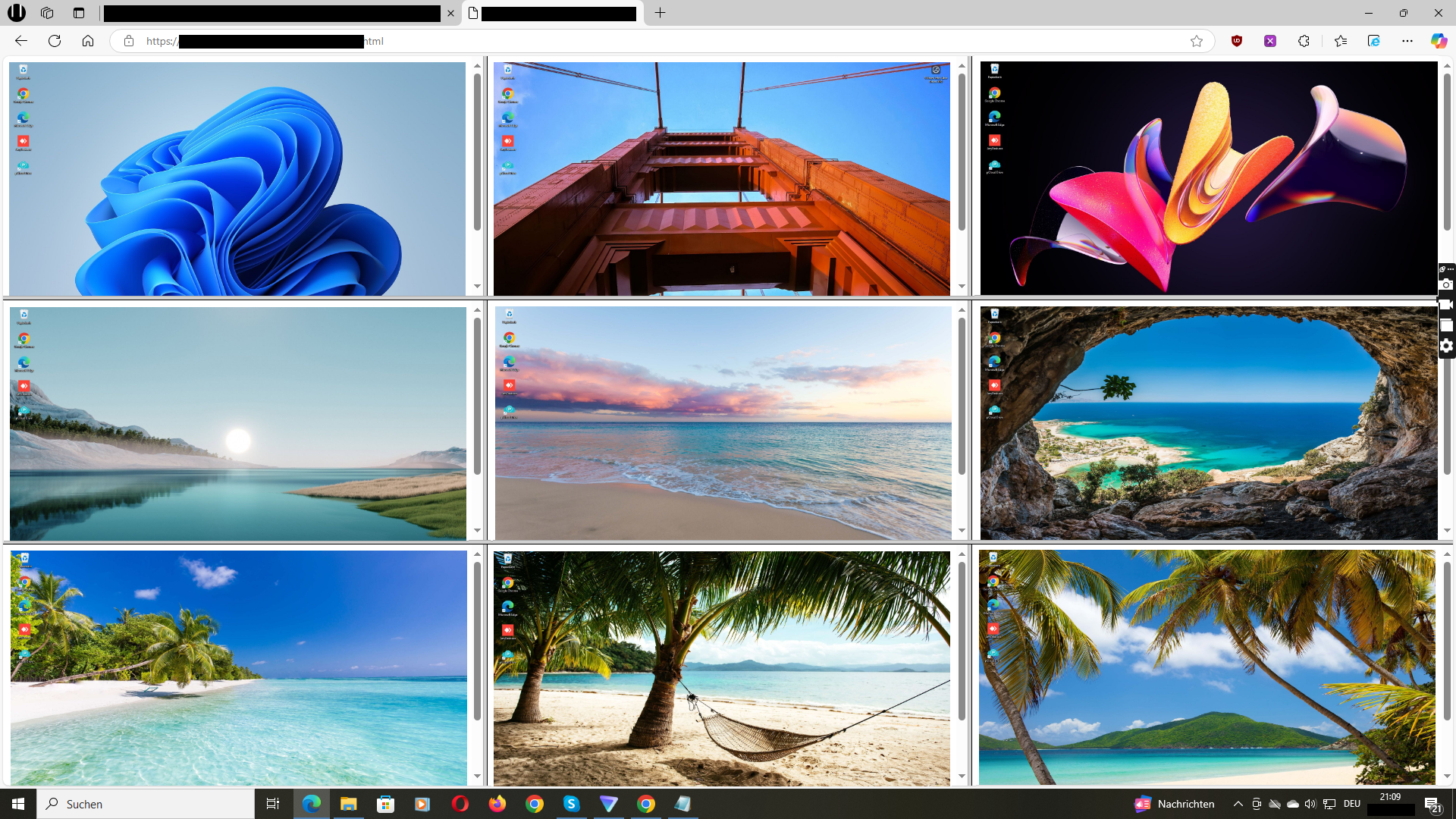
Live Screen Dashboard

Live Screen Dashboard for office & remote PCs.

With this software, see live what your team is working on — grid view in the browser. Great for support, QA, training & transparency.

WhatsApp us to schedule a Google Meet demo →
Live screen dashboard preview

Live Screens in Real Time

See what your team is working on — remotely, in the browser, auto-updating (e.g., every 3 seconds).

Great for support, QA, training and transparent collaboration — without starting a remote desktop session.

Instant visibility — spot friction in real time.
WhatsApp us to schedule a Google Meet demo →

Live screen dashboard in real time

Central Dashboard Grid

One view — all live screens in a clean grid. Scales from small teams to larger deployments.

Fast setup: install agent → open the browser dashboard.

Central control — no app switching, no chaos.
WhatsApp us to schedule a Google Meet demo →

Dashboard grid view

Optional Background Mode

The agent can start with Windows and run without disrupting workflows (no pop-ups).

Important: Monitoring rules depend on employment/privacy law. We recommend transparent use with clear IT policies and legal review.

Consistent visibility — without disrupting the workflow.
WhatsApp us to schedule a Google Meet demo →

Background mode on Windows

Transparency: How Screenshots Are Handled

Live mode: Roughly every 3 seconds a current screenshot is sent so it can be displayed in the dashboard. The previous screenshot is overwritten — without history enabled, there is no permanent storage.

Security: Transmission via HTTPS (TLS). Optionally protect live/history directories with a password (.htaccess).

Important: You are responsible for lawful use (employee notices, employment/privacy law, local regulations). This page provides technical information only.

“We gained instant visibility—and save time every week in support. Setup is simple and fast.”
— IT Provider (EU)

Frequently Asked Questions

Does it work for office and remote PCs?

Yes — the live view works over the internet in your browser. No VPN is required in typical setups.

Is it useful for IT support, QA, or training?

Yes — it’s ideal for quick visibility without taking control like remote desktop.

What platforms are supported?

The monitoring agent is built for Windows PCs. The dashboard is accessed via a modern web browser.

Is it compliant?

Monitoring is subject to local laws and workplace policies. This page does not provide legal advice—please consult qualified counsel in your jurisdiction.

Prefer WhatsApp? +49 151 2327 8866

Monitoring is subject to local laws and workplace policies. This page does not provide legal advice. Consult qualified counsel to ensure compliance in your jurisdiction.